Tips and Tricks Never Give Up
GitHub

Archive

VMware

60 posts

Posts

Browse another category or search the archive.

How to get VMware Remote Console on Kali 2019.4

Thanx to Dave Parker http://computersalad.blogspot.com/2018/09/using-vmware-remote-console-on-debian.html sudo su cd /usr/lib/vmware/bin mv vmrc vmrc.old Create a new vmrc file in /usr/lib/vmware/bin with this content #!/bin/bash LIBDIR="/usr/lib/vmware/lib"…

Read post 1 comment

Add & Remove VM from DRS Groups based on datastore. Using PowerShell Ubuntu 19.10 Budgie. Add-DrsVMtoDrsVMGroup and Remove-DrsVMFromDrsVMGroup

Thanks to Author: Tim Carman Twitter: @tpcarman Github: tpcarman https://www.timcarman.net/2017/10/27/add-remove-virtual-machines-based-datastore-location-powercli/ Functions: Add-DrsVMtoDrsVMGroup Remove-DrsVMFromDrsVMGroup  install Powershell Get PowerShell to work with ubuntu 19.10 Budgie Create…

Read post 0 comments
How to get vDocumentation to work in PowerShell

Start PowerShell as Administrator Install-Module -Name VMware.PowerCLI -Scope CurrentUser Install-Module ImportExcel -scope CurrentUser Install-Module vDocumentation -Scope CurrentUser Set-ExecutionPolicy Unrestricted Set-PowerCLIConfiguration -InvalidCertificateAction Ignore -Confirm:$false Connect-VIServer…

Read post 2 comments

VMware Converter 6.2 failed after 3% with error FAILED: An error occurred during the conversion: ‘BlockLevelVolumeCloneMgr::CloneVolume: Detected a write error during the cloning of volume \WindowsBitmapDriverVolumeId=[60-2A-FF-68-00-00-10-00-00-00-00-00]. Error: 37409 (type: 1, code: 2338)’

1 physical server to virtual with VMware Converter 6.2 failed after 3% with error. FAILED: An error occurred during the conversion: ‘BlockLevelVolumeCloneMgr::CloneVolume: Detected a…

Read post 0 comments
Vsphere 6.7 Whats New small words

Full list: https://docs.vmware.com/en/VMware-vSphere/6.7/rn/vsphere-esxi-vcenter-server-67-release-notes.html The vSphere 6.7 release is the final release of vCenter Server for Windows In-Guest unmap with snapshots VMware is deprecating webplatform.js,…

Read post 0 comments
Powercli Vsphere

Get VM list from a datstore Get-datastore | Where {$_.name -like ‘*DATASTORE01*’} | Get-VM Find snapshots Get-Snapshot -vm * -name “VEEAM BACKUP*” | Format-Table…

Read post 0 comments
How to install PowerCli on Kali

curl https://packages.microsoft.com/keys/microsoft.asc | sudo apt-key add – Add source deb [arch=amd64] https://packages.microsoft.com/debian/stretch/prod stretch main sudo apt-get update sudo apt-get install -y powershell pwsh Install-Module -Name VMware.PowerCLI -Scope…

Read post 0 comments

Space Reclaim in words

Thin Disks VM server Windows 50GB Disk C:\ Guest Zero in guest WILL fill the disk sdelete -z C:\ VMDK will be 50GB Guest…

Read post 0 comments

Software Depo for HPE and Dell

Dell: https://vmwaredepot.dell.com/index.xml) HP: http://vibsdepot.hpe.com/getting_started.html#DepotContent   http://vibsdepot.hpe.com/index.xml – latest HPE Value-Add components (for VUM)   http://vibsdepot.hpe.com/hpe/<release date>/index.xml or http://vibsdepot.hpe.com/hpq/<release date>/index.xml – latest HPE Value-Add components…

Read post 0 comments

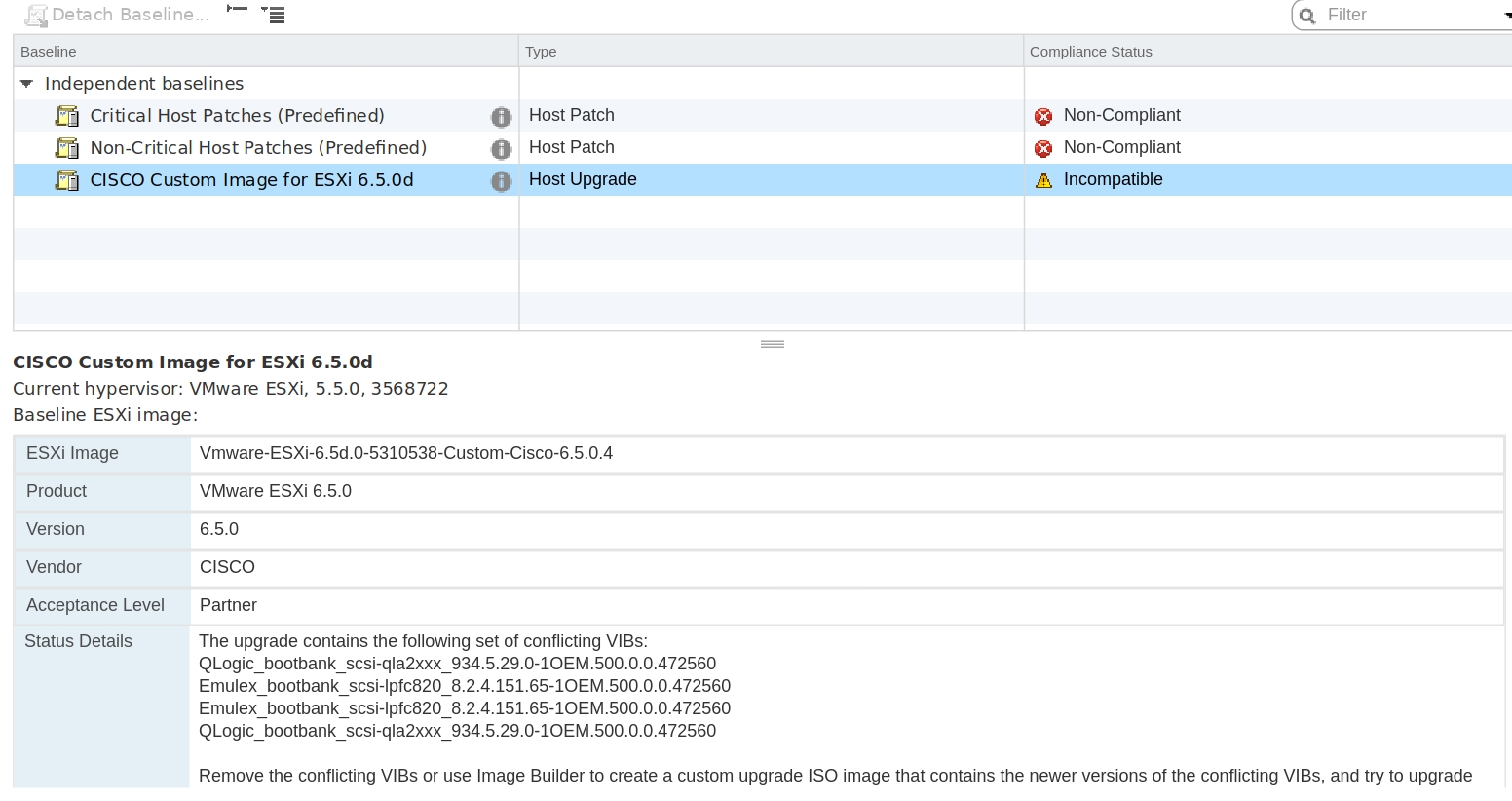
The upgrade contains the following set of conflicting VIBs. When upgrading to 6.5

Scan the host with UpdateManager and look at the result: The upgrade contains the following set of conflicting VIBs QLogic_bootbank_scsi-qla2xxx_934.5.29.0-1OEM.500.0.0.472560 Emulex_bootbank_scsi-lpfc820_8.2.4.151.65-1OEM.500.0.0.472560 Emulex_bootbank_scsi-lpfc820_8.2.4.151.65-1OEM.500.0.0.472560 QLogic_bootbank_scsi-qla2xxx_934.5.29.0-1OEM.500.0.0.472560 Solution:…

Read post 0 comments